Smart Touch Meaning: Gestures, Capacitive Controls & More
What does “smart touch” mean?
“Smart touch” usually refers to a touch-enabled feature that adds extra intelligence beyond a basic tap or press. Instead of acting like a simple on/off button, a smart touch surface can recognize gestures, respond to light touches, or trigger different actions depending on how you interact with it. You’ll often see the term used on consumer products like kitchen appliances, lamps, mirrors, thermostats, headphones, and wearable devices.
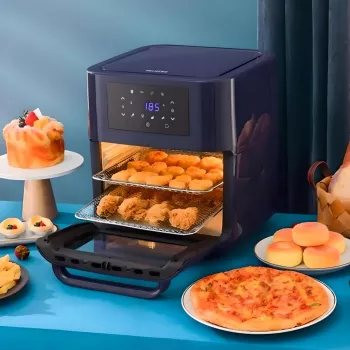
In many products, smart touch is a shorthand label for a capacitive touch control panel—the same general technology used in smartphones. These controls don’t need a physical button to click; they sense changes in your finger’s electrical charge. That’s why smart touch panels tend to look sleek and wipe clean easily, but can sometimes be less responsive with gloves, wet hands, or heavy moisture.
How “smart touch” works in everyday products
The “smart” part can mean a few different things depending on the brand and category. Common examples include:
- Multi-function gestures: tap to turn on, long-press to dim, swipe to change modes or volume.
- Context-aware controls: the touch panel changes what it does based on the current setting (like switching between fan speed and timer).
- Safety/lock features: child lock, touch-and-hold confirmation, or auto-off timers.
- Feedback cues: indicator lights, tones, or haptics to confirm your touch was registered.
What to look for when a product says “smart touch”
Because “smart touch” isn’t a strict technical standard, it helps to check the product details for specifics. Look for descriptions of supported gestures (tap/hold/swipe), whether it’s capacitive or pressure-based, and any limits (water resistance, glove compatibility, sensitivity settings). If you want a deeper breakdown of how the term is used across different items, see the main guide here: https://modernwondersden.shop/what-does-smart-touch-mean/.
FAQ
What is the difference between touch control and smart touch?
Touch control is any interface you operate by touching, including basic single-function buttons. Smart touch typically implies added capabilities like gesture controls, multiple functions on the same surface, or context-based behavior.















Leave a comment