Robot Alarm Clock for Kids: Calm Bedtime, Easy Mornings
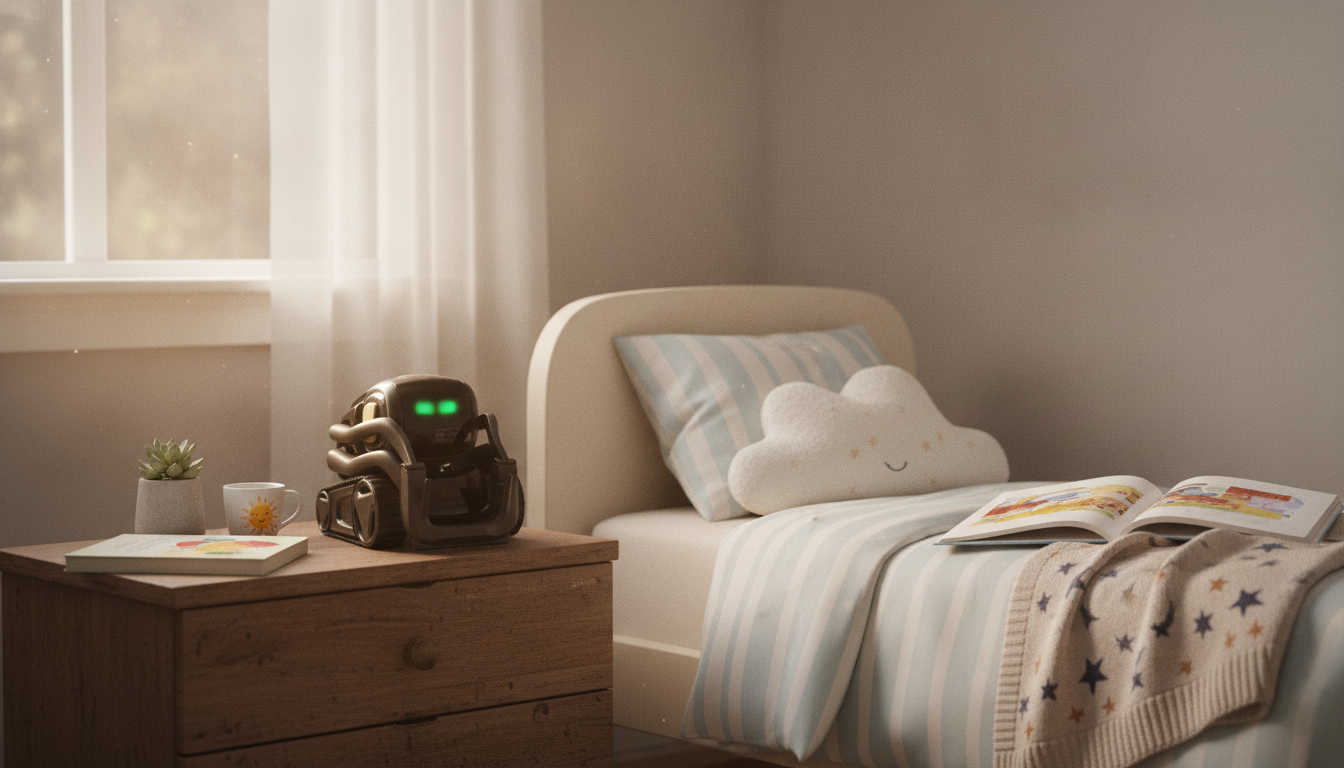
Smart AI Robot Companion & Alarm Clock for Kids: A Bedside Buddy That Helps Routines Stick
A robot-style bedside buddy can make mornings smoother and bedtime calmer by combining a friendly companion with a dependable alarm clock. The best versions don’t just “tell time”—they provide consistent cues that help kids move from play to sleep and from sleep to “time to get up” with less back-and-forth. Below is a practical guide to features worth prioritizing, setup tips for the first week, and ways to keep the experience supportive (not overstimulating).
What a robot companion alarm clock adds to a kid’s room
A companion-style clock works best when it becomes part of the room’s rhythm. For some kids, a playful bedside presence can reduce bedtime resistance because the routine feels like a familiar sequence rather than a nightly negotiation. It can also support independence: a child who knows what happens when the alarm goes off is more likely to follow a predictable morning checklist without repeated reminders.
Many families also appreciate that it doubles as a nightstand or desk gadget that feels more exciting than a standard clock, which can increase buy-in—especially when you frame it as a “routine helper” rather than a toy.
Common features families rely on
When comparing options, start with the basics (alarm performance and easy controls), then add the features that match your child’s personality and sleep needs. Reliability matters: an alarm should be loud enough to wake a deep sleeper without feeling jarring, and snooze behavior should be predictable so “just five more minutes” doesn’t become a loop.
Visual cues—like a clear display or indicator light—can also help early readers build time awareness. And at night, quiet hours and dimming are essential to keep the room sleep-friendly. For general sleep guidance, reputable resources like the American Academy of Pediatrics and the CDC offer practical recommendations for healthy sleep routines.
Quick feature-to-benefit guide
| Feature | Why it helps | Tip for parents |
|---|---|---|
| Multiple alarms | Covers school days vs weekends | Set a backup alarm 5–10 minutes after the first |
| Adjustable brightness | Less light disruption at night | Dim to the lowest comfortable setting after lights-out |
| Snooze control | Prevents endless dozing | Limit snooze count or set a firmer second alarm |
| Friendly reminders | Keeps routines moving | Pair reminders with a simple checklist by the bed |
| Simple interface | Kids can manage it independently | Practice once together, then let them “own” the routine |
Bedtime routines that work well with a companion clock
The most effective bedtime routine is consistent and boring (in a good way). A companion clock can support that by acting as a cue: when the bedtime signal happens, the routine continues—no debate, no extra “one more thing” spirals.
- Create a consistent wind-down window with the same steps in the same order (wash up, pajamas, story, lights down).
- Use the device as a cue, not a negotiation tool—avoid bargaining with extra interactions.
- Keep nighttime interaction calm: dim lights, quiet hours, and minimal animations close to sleep.
- Pair with comfort, not pressure: gentle prompts and predictable signals usually work better than hype.
- For early risers, use a clear “stay in bed until” rule supported by a visual time cue when possible.
Morning routines that build independence
Safety, privacy, and placement
If the device includes connected or app-based features, review what data may be collected, how accounts are managed, and whether you can disable unnecessary connectivity. Parents can also review the FTC’s guidance on children’s privacy via COPPA: Children’s Online Privacy Protection Rule. A simple family rule helps, too: agree on what the device can do, what it can’t do, and when it should be quiet.
Setup checklist for the first week
Who it tends to help most
Product spotlight and complementary picks
If you’re looking for a bedside routine helper designed around both wake-up alarms and companion-style engagement, consider the Smart AI Robot Companion & Alarm Clock for Kids. It’s best used as a routine tool: keep nighttime settings calm and reserve higher-energy interactions for daytime.
To support the routine beyond the nightstand, a comfortable “quiet corner” can make wind-down reading easier. The Nordic Rattan Leisure Single Sofa Chair – Solid Wood, Modern Fabric Design can work as a cozy spot for a pre-bed story (outside the bedroom if your child benefits from separating play and sleep spaces).
And for weekend family resets—especially if your child sleeps better after lots of daytime movement—consider screen-free adventures like backyard “camping.” The Living Room Outdoor Family Shelter Tent can create a fun, low-pressure environment for quiet games, reading, and imaginative play before transitioning back to a consistent bedtime.
Care and longevity
FAQ
What age range is a robot companion alarm clock best for?
Many families find the sweet spot is preschool through elementary years, when kids respond to predictable cues and are building independence. Younger kids may need more supervision with settings and volume, while older kids often do best when they’re allowed to “own” the routine and manage the alarm themselves.
Will an interactive bedside device make it harder for kids to fall asleep?
It can if it’s too bright or stimulating near bedtime, so it’s important to use dim/quiet settings and keep interactions calm during wind-down. Reserve lively prompts for daytime and treat the bedtime cue as a signal to settle, not a reason to keep engaging.
How can parents handle privacy with connected smart devices for kids?
Review the device’s data practices, use parent controls or child accounts when available, and disable connectivity features you don’t need. Keep firmware updated and follow COPPA-aligned guidance so you stay in control of what information is collected and how it’s used.
















Leave a comment